 ConnectOnion
1.8.9b13 — Chrome logins, and a wiki that opens
An opt-in preview on the 1.8.9 fix line. Stable remains 1.8.8.
New
co browser importcarries the logins you already have in Google Chrome into the co browser profile, so moving to the paid WTF Browser does not mean signing in again from a new browser — the step some sites flag (#1477).--dry-runlists sites and cookie counts without touching the Keychain or a browser; a real import asks once, decrypts Chrome's cookies with the "Chrome Safe Storage" key, and writes each site through the target browser's own cookie API. Chrome's profile is never modified and cookie values are never printed.

- A site the target browser is already signed in to is left alone, so an
import never switches an account in use. Signed in means a login cookie
(
user_sessionon GitHub,li_aton LinkedIn, and so on), not any cookie from an earlier visit;--replaceimports over a real login on purpose.
Fixed
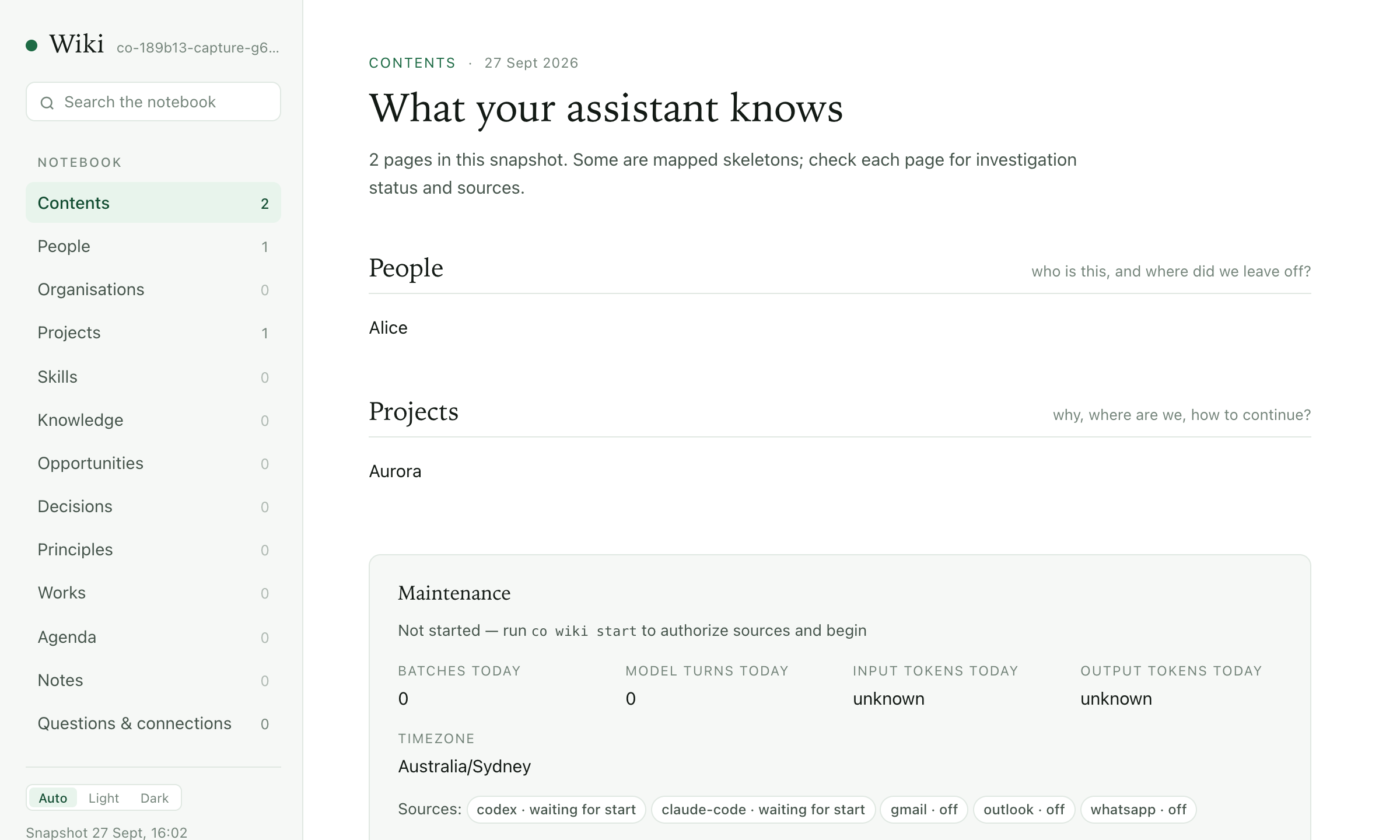
co wiki openopens the local snapshot again. It had started openingchat.openonion.ai/<address>/wiki, a page that did not load when the Host was not running (#1828). Opening locally is the default and works offline; the live view through yourco aiHost isco wiki open --live, and falls back to the snapshot, saying why, when the Host does not answer.
- The paid browser no longer refuses to start because the free browser's profile is in use; each engine checks its own profile lock.
- An unanswered or denied Keychain dialog ends the import with a sentence and exit 1 instead of a traceback.
- Benchmarks pass the given context to the evaluated Agent (#1816).
Limits
The import is macOS and Google Chrome only, and cookies only: local storage, saved passwords, history and extensions are not imported. Sites that bind a session to the device (Google, some banks) may still ask you to sign in.
Install
python -m pip install --upgrade 'connectonion==1.8.9b13'
co --version